How to Avoid Buying Fake SD Cards on eBay
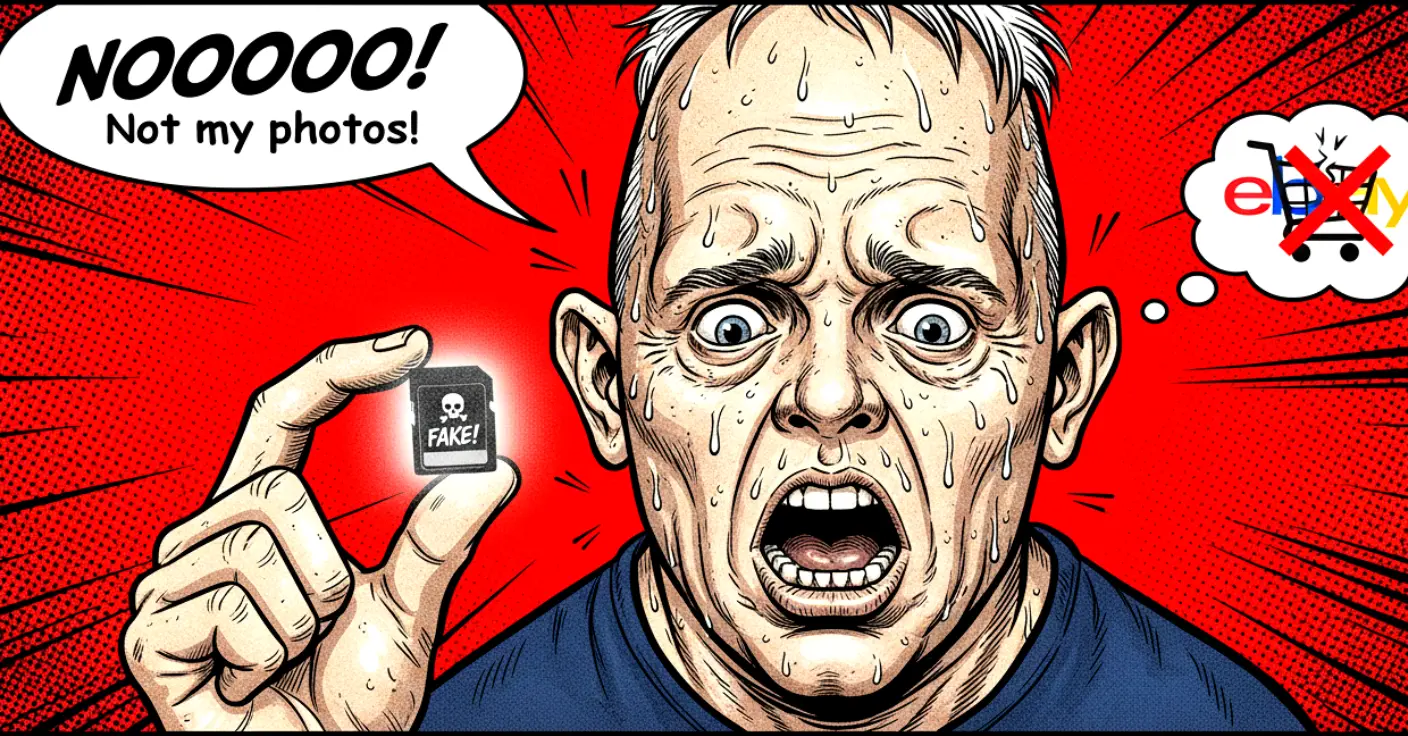
Back in 2019, I had an experience that taught me a lesson I’ve never forgotten. It began innocently enough: I’d bought a new IP security camera and needed a microSD card to go with it. These cards weren’t cheap, especially the 64 GB versions, and buying one from a major retailer would have cost me somewhere in the region of £22–£30. Being someone who loves a bargain, I naturally turned to eBay.
What followed was a journey that started with excitement, moved quickly into doubt, and ended with a crash course in counterfeit storage devices. Although this article documents an experience from 2019, the problem of fake SD cards hasn’t gone away. In fact, it’s still a major issue today, and the lessons I learnt then are just as relevant now.
This is the full story of what happened, what I discovered, and how you can avoid falling into the same trap.
The Bargain That Wasn’t
After a quick browse on eBay, I found several microSD cards priced between £12 and £15. These weren’t suspicious-looking unbranded cards either; they were from reputable brands like Kingston and SanDisk. The listings looked legitimate, the prices were tempting, and the sellers appeared trustworthy.
I eventually settled on a class 10 Kingston 64 GB microSD card for £13.99. The seller had 100% positive feedback, although most of it came from buying rather than selling. At the time, I didn’t think much of that. I simply assumed I’d found a great deal.
A couple of days later, doubts started creeping in. I’d stumbled across discussions online about fake storage devices being sold on eBay, and the more I read, the more uneasy I felt. Still, I tried to stay optimistic. After all, the seller seemed genuine enough.
Three days after ordering, the card arrived. First impressions were good. The packaging looked professional, the branding appeared correct, and nothing immediately screamed “fake”. For a moment, I felt reassured.
But curiosity got the better of me.
Spotting the First Red Flags
Before opening the packaging, I decided to compare it to the photos in the eBay listing and to examples shown in YouTube videos about counterfeit SD cards. That’s when the discrepancies began to appear.
The listing photo showed the packaging clearly stating a read speed of 45 MB/s. The packaging I received didn’t mention this at all. The font used to display “64 GB” was slightly different. The print quality on the card itself looked off. And the back of the packaging lacked a proper barcode and batch number.
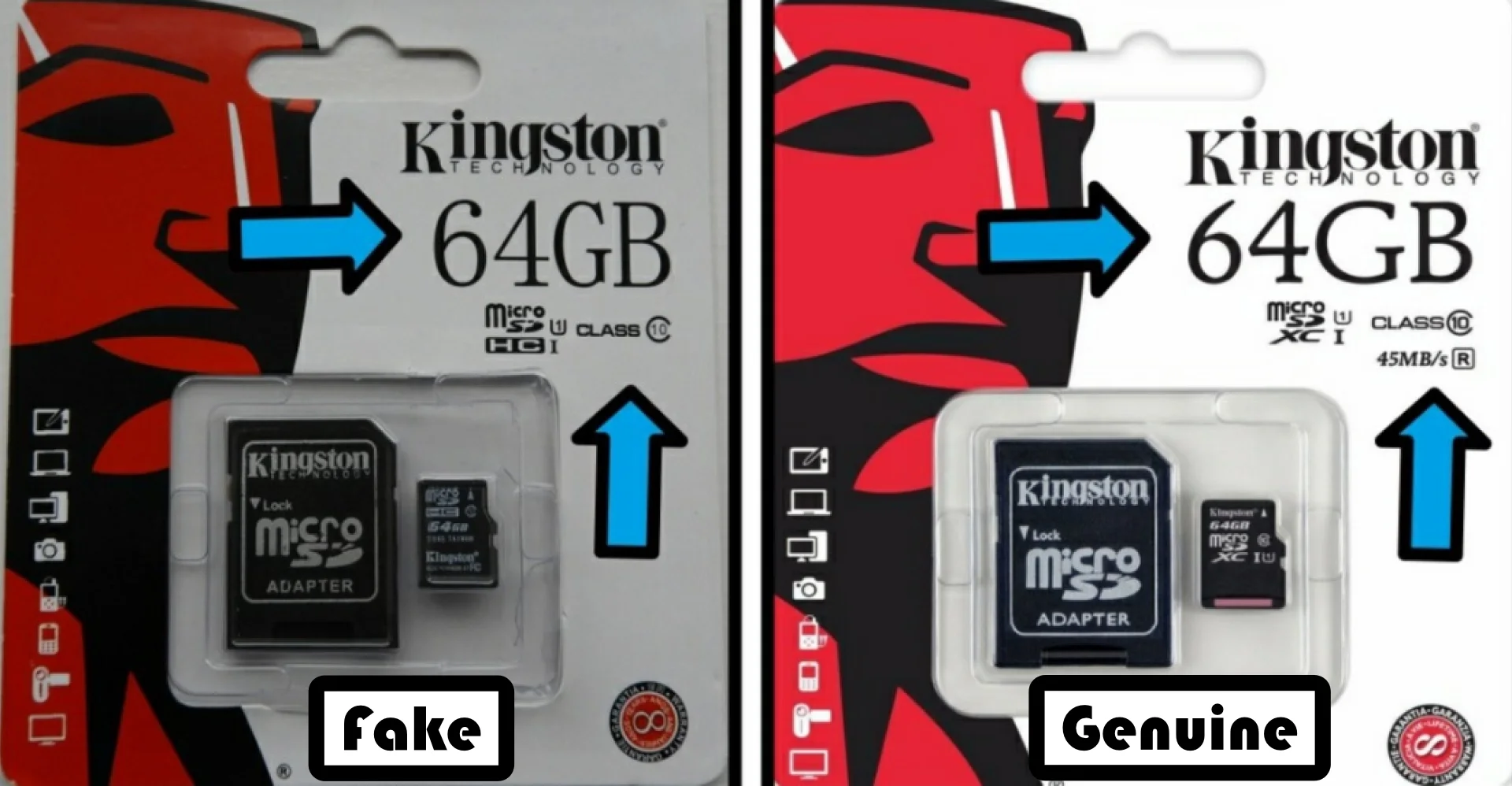
Individually, these details might seem minor. Together, they painted a worrying picture.
Contacting the Seller
Being fair-minded, I decided to give the seller a chance to explain. I messaged him, outlining the discrepancies and asking whether he knew the card’s origin or could confirm its authenticity.
I sent the seller this message:
Hello, I received my Kingston 64 GB microSD card this morning; however, after close inspection, the card doesn't appear to be a genuine Kingston product.
For example, the packaging doesn't match the picture in your description and has vital information missing, such as the write speed. There's also no sticker on the back with the appropriate barcode and manufacturer's information.
Even without taking the microSD card and adapter out of their packaging, you can already see that the print is of poor quality and doesn't match the one in the description.
Can you tell me where you purchased/sourced this microSD card from?
I'll be contacting Kingston either later today or tomorrow with the pictures and information I have to see if they can offer any insight.
Thanks for your time.
His reply was vague and unhelpful. He didn’t address any of my concerns and simply told me to return the item for a refund. That alone raised alarm bells. If he genuinely believed the product was legitimate, he would have said so.
I messaged him again, asking more direct questions. His second reply was equally evasive. He claimed he’d bought the cards from a “closing down shop”, yet he had dozens of similar items listed for sale. It didn’t add up.
At this point, I strongly suspected the card was fake. But I wanted confirmation.
Contacting the Manufacturer
I had already emailed Kingston before contacting the seller, and around 24 hours later, they replied. I sent them photos and details of the card, and they confirmed what I already feared: the card was almost certainly counterfeit.
Kingston reply:
Dear David,
Thank you for the detailed information and the pictures.
We have evaluated the images you provided to us, and we have to inform you that, based on these, we believe your product is a counterfeit.
Therefore, we would recommend that you contact your point of purchase for a refund.
If you do not receive a favourable response, you should consider filing a claim with your credit card company or PayPal, depending on your method of payment and the protection offered on your purchase.
I am sure that you will understand that Kingston Technology, with its reputation as a provider of superior quality and service, takes issues such as this very seriously.
We would ask you, therefore, to assist us in our attempts to stop rogue traders selling counterfeit Kingston products by providing us with the following information:
When and where you purchased the product (Company Name, eBay Seller ID)
Name and address of the seller
Web link to the actual auction page or website
Part or item number of the product
We would like to assure you that the fact that you have provided us with this information will be treated in the strictest confidence and would like to thank you in advance for your cooperation.
Kind regards,
Angela Fara
Kingston were extremely helpful. They made it clear that they take counterfeiting seriously and asked me to forward the seller’s details to them, which I did. Their confirmation was the final piece of the puzzle.
Still, I wanted to test the card myself.
The Final Test: H2testw
There’s a free tool called H2testw, widely used to check the true capacity and reliability of storage devices. It writes data to the card and verifies whether the card can actually store what it claims.
I ran the test.
It failed spectacularly.
The card was riddled with errors and couldn’t store anywhere near its advertised capacity. If I had used it in my security camera, I would have ended up with corrupted footage and lost data.
That was the final nail in the coffin.
Getting a Refund
Thankfully, eBay’s buyer protection is robust. I opened a return request, selected “suspected counterfeit item”, and received an instant refund. I didn’t even have to return the card.
Whether this was eBay’s system or the seller trying to avoid further scrutiny, I’ll never know. But the ease of the refund only reinforced my suspicion that the seller knew exactly what he was doing.
Why Fake SD Cards Are Still a Problem
Although my experience happened in 2019, fake SD cards remain a widespread issue today. Counterfeiters have become more sophisticated, packaging has improved, and listings often look convincing. Criminal groups mass-produce these cards cheaply, reprogramming them to falsely report higher capacities.
The danger isn’t just losing money. Fake cards can corrupt files, fail unpredictably, and cause data loss. For devices like security cameras, dash cams, drones, and smartphones, that’s a serious risk.
How to Avoid Fake SD Cards on eBay
While it’s impossible to eliminate all risk, you can significantly reduce your chances of buying a counterfeit card by following some practical guidelines.
Be wary of unusually low prices
If a card is significantly cheaper than the same model sold by reputable retailers, be cautious. Even a small price difference can be a warning sign.
Check the seller’s history
Look for sellers with a long track record of selling similar items. A seller with mostly “buyer” feedback and little selling history is a red flag.
Examine feedback carefully
Positive feedback doesn’t always mean genuine products. Some buyers leave positive reviews simply because they received a quick refund for a faulty item. That can indicate a seller knowingly distributing counterfeit goods.
Ask questions
Contact the seller and ask where the product was sourced. Request additional photos. Compare these to official images from the manufacturer. If the seller becomes evasive, walk away.
Look at product reviews
Many listings include reviews for the product itself, not the seller. If multiple buyers report corruption, data loss, or sudden failure, it’s likely the model is commonly counterfeited.
Test the card
Once you receive a card, run a capacity test using tools like H2testw. It’s one of the most reliable ways to confirm whether a card is genuine.
Use eBay’s return system
If you suspect a counterfeit, always communicate through eBay’s messaging system. Never return an item outside of eBay’s official process.
Why Counterfeit Cards Are Hard to Spot
Fake SD cards can look incredibly convincing. The packaging often mimics the real thing, and the card itself may appear identical at first glance. Even when inserted into a device, it may initially report the correct capacity.
The deception lies in how the card is programmed. Counterfeiters modify the firmware so the card claims to have more storage than it physically does. Once you exceed its true capacity, files become corrupted or vanish entirely.
This is why testing is essential.
Conclusion
Fake SD cards remain a persistent problem on eBay. My experience from 2019 may feel like a distant memory, but the risks are still very real today. Counterfeiters have only become more sophisticated, and unsuspecting buyers continue to fall victim to seemingly genuine listings.
By staying cautious, checking sellers thoroughly, comparing packaging, and testing any card you buy, you can dramatically reduce your chances of being caught out. And if you do end up with a counterfeit, eBay’s protection policies should ensure you get your money back.